I have been asking for this tool for years.
Not from Microsoft specifically. From anyone who would listen. Every OEM conversation I have had over the past few years has included some version of the same point: someone needs to build a way for IT teams to visualise and define their room archetypes before procurement decisions are made, before integrators are briefed, before a single cable is pulled.
The OEMs got there first
Logitech got there first with their Room Configurator. NEAT more recently launched Workspace Designer, which goes further with interactive 3D visualisation, camera coverage overlays, and mic reach mapping. Both are excellent. Both are, understandably, vendor-specific.
What has been missing is a version of this thinking inside the management platform itself. Microsoft has now built one.
What it is
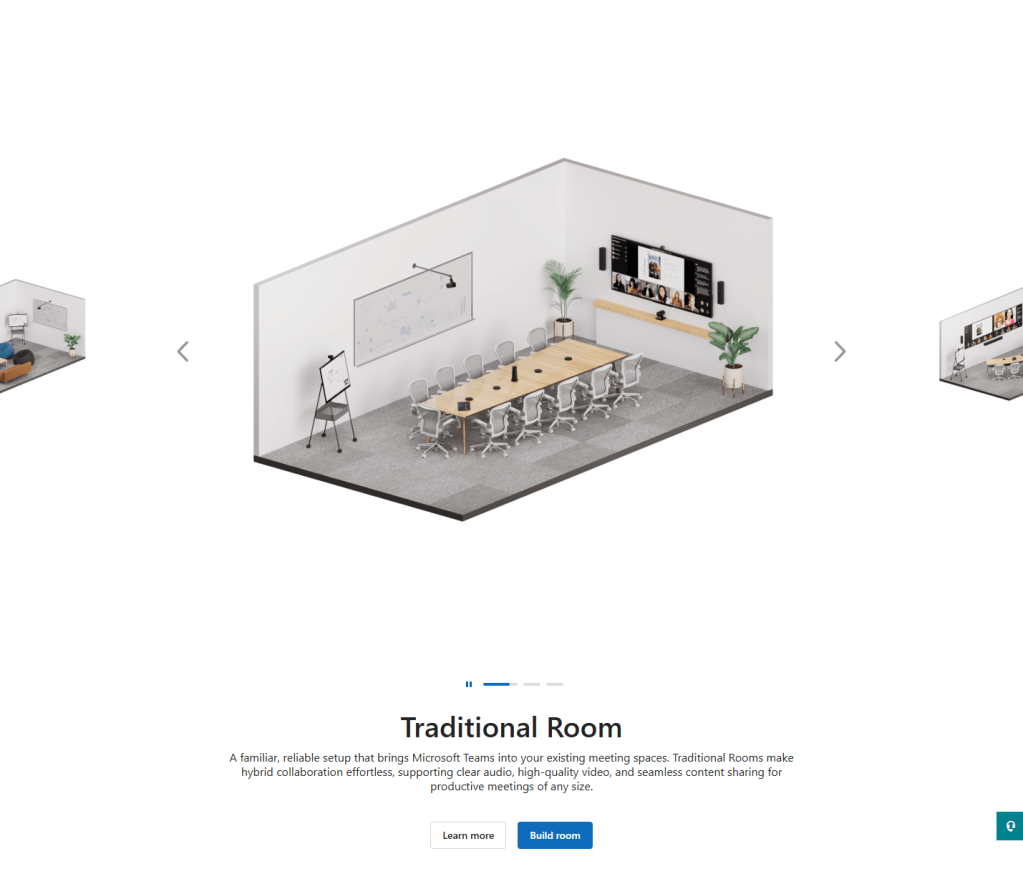
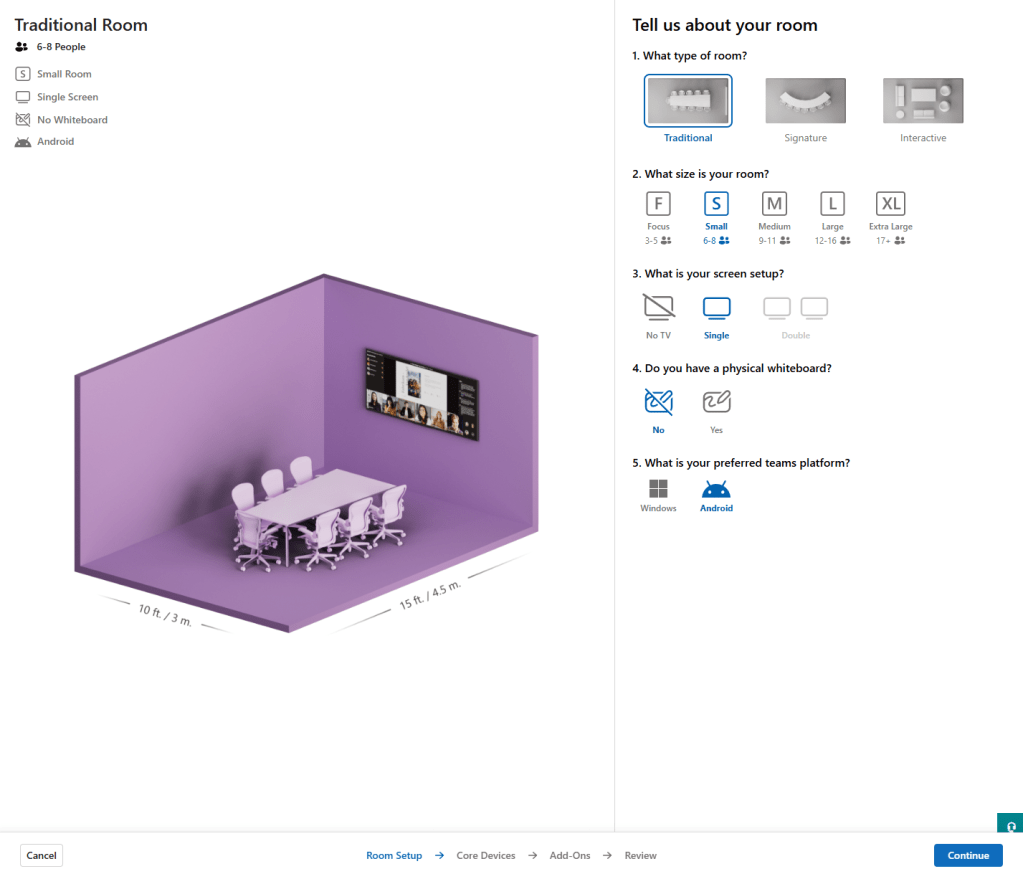
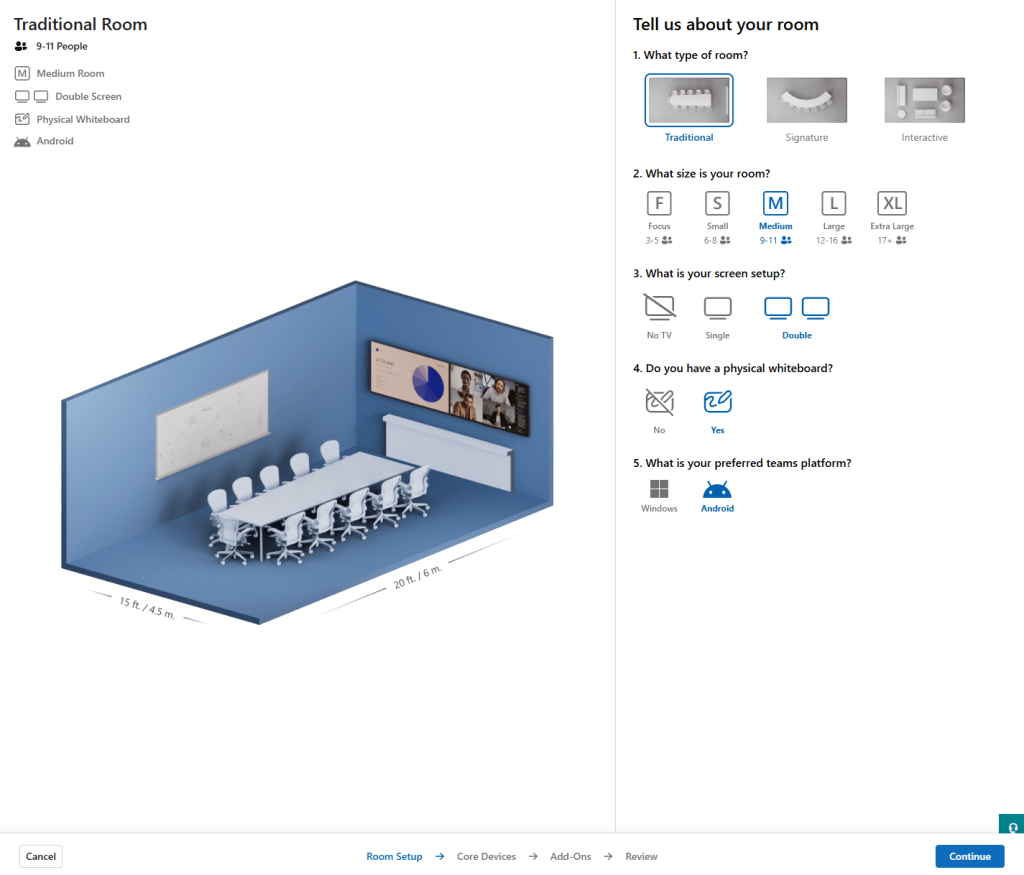
Room Builder sits inside the Teams Rooms Pro Management portal and is currently in beta. It lets you select a room type, build a hardware archetype from Teams-certified devices across OEMs, and publish that standard to a region, site, building, or specific room. You can export a pick list to pass to an integrator or a purchasing team. The vendor-agnostic positioning is exactly right. Microsoft is in a unique position to show suitable products across the estate without a commercial thumb on the scale.
This is the tool I have been describing in conversations with the market for some time. Seeing it exist, even in beta, is genuinely satisfying.
The beta label is doing real work though, and because I think this has the potential to be something important, I want to share where I think it goes next.
Furniture and orientation
The furniture archetypes – traditional, signature, and interactive, are the right taxonomy. But orientation control does not yet exist. In a non-standard room orientation the hardware ends up on a wall parallel to the table rather than at the head end. That requires a high field of view camera to capture all participants, such as the Logitech Rally Bar Mini, Jabra PanaCast, or a camera array, and eliminates several seats entirely. Anyone sitting with their back to the screen is a poor meeting experience by any measure. Sub-optimal, but a real-world scenario that happens across enterprise estates every day. Right now the tool cannot represent it. Similarly, all tables in the current build are AV-optimised. Real estates are not. A columnar table changes who can actually be seen by the camera, and that has a direct bearing on what solution is appropriate for the space.
Room widths are also currently limited to a fixed set of values. Being able to input true room dimensions and then interact with the space to design the solution around them would be significant. It is the difference between planning against a real room and planning against the closest approximation the tool will allow.
Environmental context and camera specification
There is also an opportunity around environmental context that I think Microsoft is uniquely placed to exploit. How many sides of a room are glass changes the acoustic design. A heavily glazed room may need extension microphones on the table. That recommendation cannot be made without the input. Camera specification, field of view, viewing distances, multi-camera logic, is another layer that would help IT teams understand what they are actually selecting and why.
There is a less obvious but equally important benefit here for architects and IT leads carrying these decisions through a project. Being able to evidence why a particular camera was selected, why a second microphone was specified, or equally why one was not, is genuinely valuable when those decisions get challenged later in the delivery cycle. That challenge almost always comes from a non-technical stakeholder. A visual output from a tool like this, something you can put in front of a Facilities team, a project sponsor, or a fit-out contractor, would do a lot of the work that currently falls to a paragraph in a design document that nobody reads.
The 90/10 threshold
The most interesting opportunity though is around the 90/10 threshold. Most enterprise room estates fall into a pattern: a defined set of archetypes covering the vast majority of spaces, and then a smaller set of complex environments where the standard answers stop working. LED walls. Divisible spaces. Repeater displays. Ceiling microphone arrays. Removable furniture that directly affects touch panel placement.
When you cross that line, you are no longer in a self-serve IT deployment. You are in the world of the specialist integrator, and the control and signal processing ecosystem that sits behind them. Crestron, Q-SYS, Extron, and their peers have been the established certified players in this space for good reason. These are not environments where a pick list from a portal will get you to the finish line.
Right now there is nowhere in the market that clearly maps that boundary. What an IT team can deploy confidently from a standard, and where the handoff to an integrator begins. Microsoft, as a platform-agnostic player sitting across the whole estate, could own that guidance. Room Builder feels like the right place to surface it.
The export
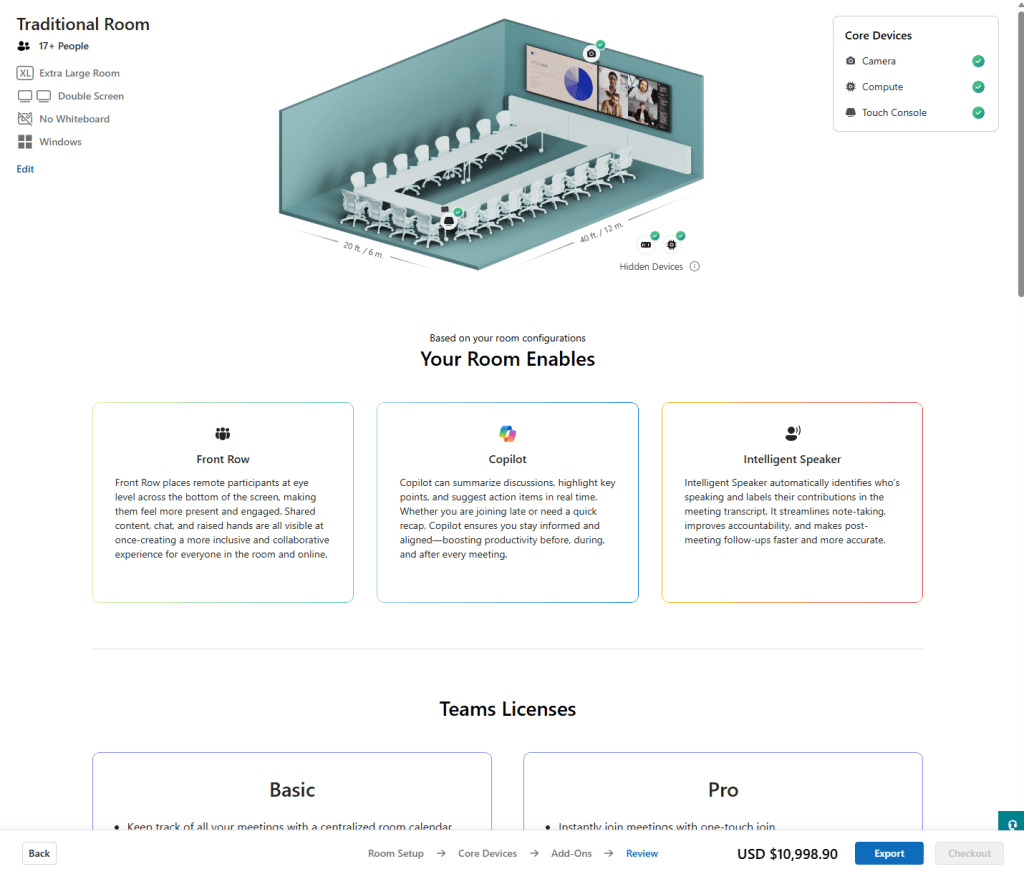
The export is basic at the moment. It lists Microsoft capabilities rather than a full bill of materials. Closer collaboration with the OEM ecosystem here, localised pricing, accessory dependencies, cabling logic, would close the gap between planning tool and something that genuinely accelerates procurement.
Where it goes from here
This is a beta and it reads like one. The metadata will settle. There are currently some bundles surfaced in contexts where I would not expect to see them, and some gaps where I would. That is the kind of thing that gets resolved as the product matures. The structural questions around environmental variables, camera specification, and deployment complexity thresholds are the ones I am watching.
The foundation is right. I hope Microsoft keeps building.


Leave a Reply